Genuine Authentication
检查所连接的产品是否为三星硬盘。需要互联网。重启后仍然失败时,三星 FAQ 将其视为服务中心的情况,不是本站的隐藏设置。

2025年12月的安装指南修订版 1.9 提到新界面和可以自行排列的小组件。三星产品页把同一块仪表板描述为查看硬盘状态、兼容性和更新提醒的地方。
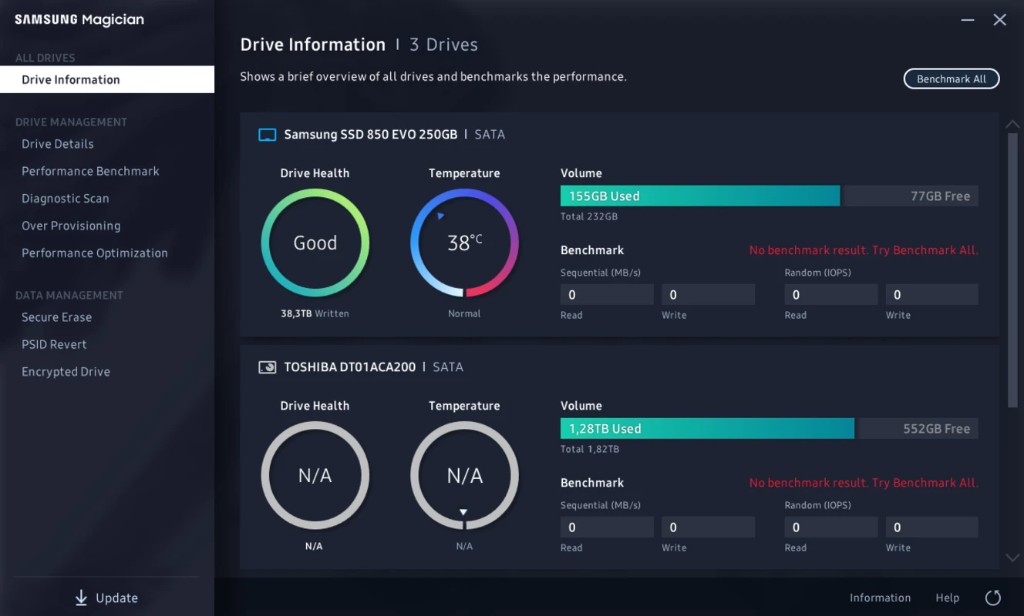
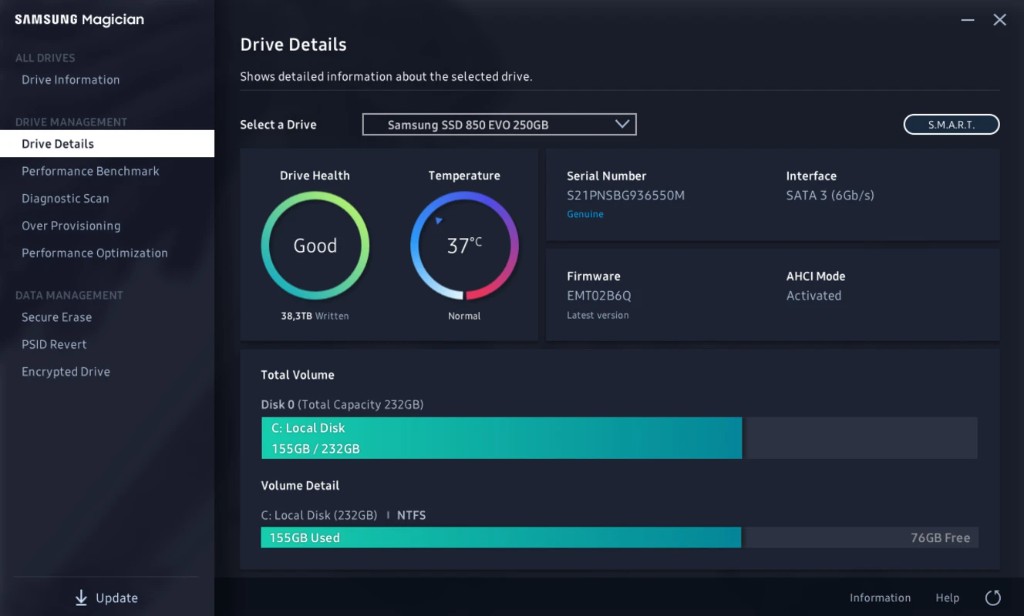
检查所连接的产品是否为三星硬盘。需要互联网。重启后仍然失败时,三星 FAQ 将其视为服务中心的情况,不是本站的隐藏设置。
Magician reads the attributes the drive exposes, including total bytes written on supported Samsung products. If S.M.A.R.T. is absent, Drive Health is N/A. The same N/A applies to non-Samsung disks.
Short scan is NTFS only and wants 5 GB free. Full scan and short scan both refuse a locked drive. Samsung NVMe driver 3.3 is required for the SMART self-test on the 970 EVO Plus. Later families, including 980, 980 PRO, and 990, do not need that driver. If the scan is the problem, use the Defender note in the guides.
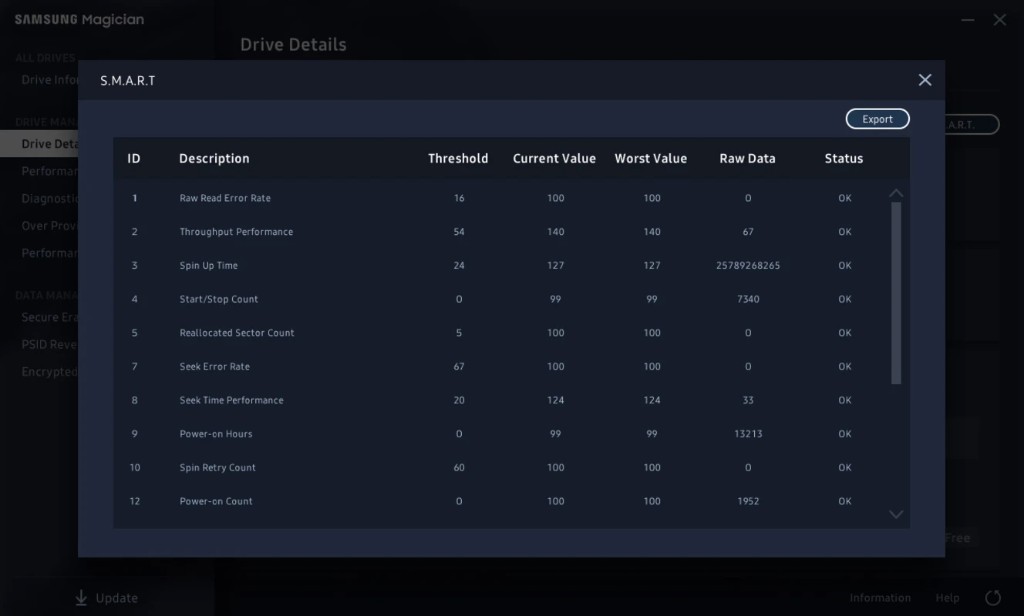
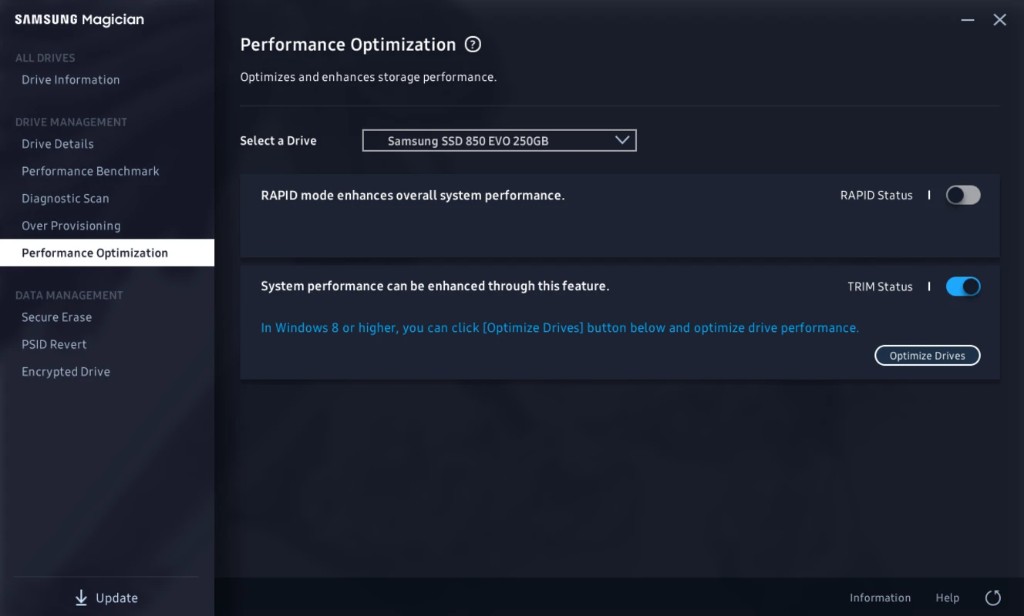
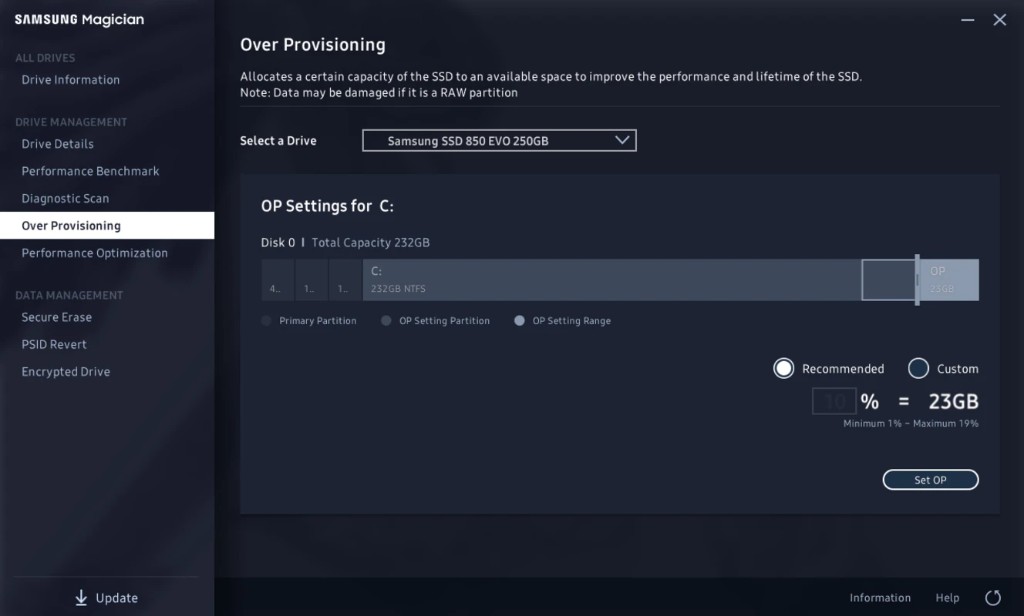
Performance Optimization applies a mode the model allows. Samsung's product page shows Balanced as one current mode and also describes full power and power efficiency. The choice list changes by SSD. The feature depends on Windows TRIM and supports NTFS only. Over Provisioning is separate: it reserves NTFS or raw space so the drive has room for maintenance. It is not supported on Windows XP. Cluster misalignment can make it fail even when free space remains. Dynamic disks and a disk that needs chkdsk are also out.
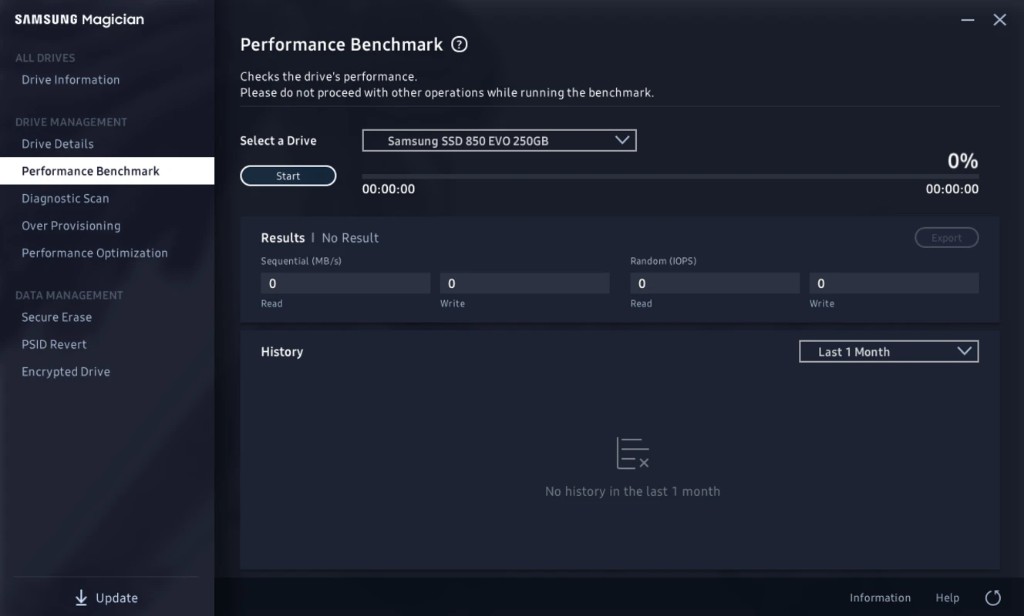
Performance Benchmark reports read and write speed. Samsung lets you change volume and chunk size. Refresh System Information before testing a drive you just attached. Some removable devices do not benchmark. ASMedia controllers can time out if the driver does not handle multi-thread I/O. Records saved in Magician 7.0 can show Unknown after you move to a later build.
| Name | Real-time Accelerated Processing of I/O Data |
|---|---|
| Windows | Windows 10 或更高 |
| Processor | 1 GHz or faster |
| Memory | 2 GB RAM or more |
| Free space | 50 MB, separate from the 600 MB install |
| File system | NTFS |
| Drives named in the guide | 870 EVO, 870 QVO, 860 PRO, 860 EVO, 860 QVO, 850 PRO, 850, 850 EVO, 840 PRO, 840 EVO, 750 EVO, in the 2.5-inch, mSATA, and M.2 forms the guide lists for each. |
Data Migration is Samsung's cloner for a new Samsung SSD. It copies the operating system, applications, and user data from the current HDD or SSD. Software RAID is not an official environment. Only MBR and GPT partitions are supported, and only volumes with a drive letter are listed.
Guide revision 1.4 (March 2023) records a Data Migration improvement. Revision 1.3 (September 2022) is where Samsung notes Data Migration and LED settings as added material.
Samsung's product page shows a Security Settings screen with Set Password, and a security mode switch. Portable models such as the T7 family can lock. The install guide says fingerprint access stays unavailable until the portable SSD is unplugged and plugged back in. Magician will not operate an SSD that is already locked with a user password until that lock is cleared.
A wipe for data you intend to destroy. Samsung also documents a bootable erase path. That path wants AHCI or ATA in the BIOS, Device Manager closed while the boot media is made, and it is not compatible with pure SCSI or with SATA NVIDIA, LSI, or AMD chipset drivers. A BIOS SECURITY FREEZE LOCK can block the erase. Do not pull the SSD during the run.
Uses the PSID printed on the drive label and returns the drive toward factory state. Samsung says all data on the drive is deleted. Drives named for PSID Revert: 860 EVO, 860 EVO M.2, 860 EVO mSATA, 860 PRO, 860 QVO, 970 EVO Plus, 870 QVO, 870 EVO, 980, 980 PRO, 980 PRO with Heatsink, T7, T7 Touch, T7 Shield, and T9.
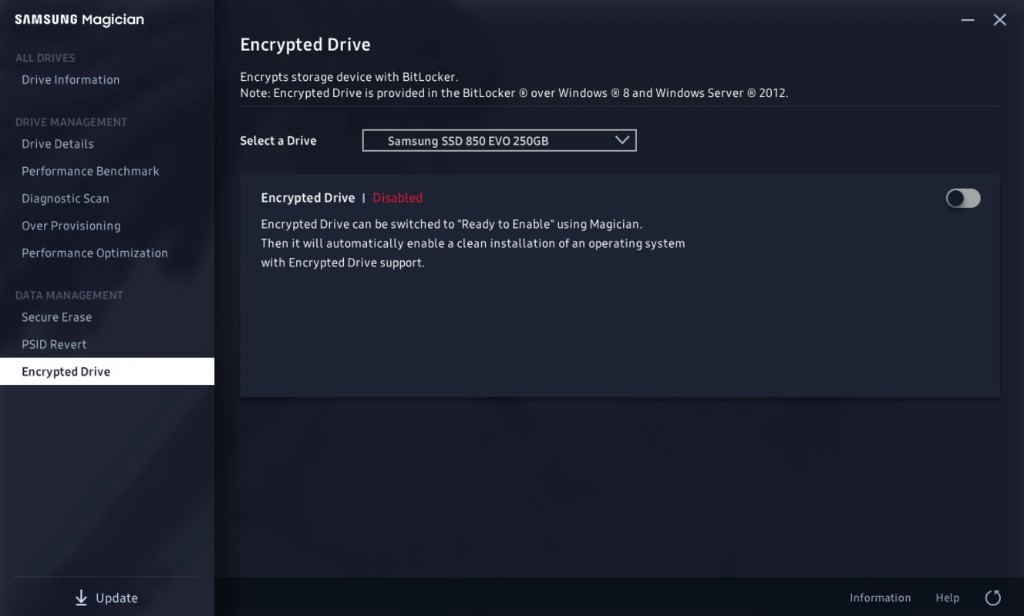
Encrypted Drive is Samsung's name for BitLocker Drive Encryption on Windows 8 Pro, Windows 8 Enterprise, and later, including Windows Server 2012 editions. Class 0, TCG Opal, and Encrypted Drive cannot be on together. Disable the security mode before you move the drive to another PC. LED settings showed up in guide revision 1.3 and only on models that have the control.
The consumer Magician page groups support into internal SSDs, portable SSDs, memory cards, and USB flash drives. OEM drives that shipped inside a PC can differ. End-of-life Samsung SSDs can still use the current firmware Magician already has. Samsung says there will be no newer firmware for those models.
| Group | Names on Samsung's pages |
|---|---|
| Recent internal | 9100 PRO and 9100 PRO with heatsink, 990 PRO and 990 PRO with heatsink, 990 EVO Plus, 990 EVO, 980 PRO and 980 PRO with heatsink, 980 |
| Earlier internal | 970 PRO, 970 EVO, 970 EVO Plus, 960 PRO, 960 EVO, 950 PRO, 870 EVO, 870 QVO, 860 PRO, 860 EVO, 860 QVO, 850 PRO, 850, 850 EVO, 840 PRO, 840 EVO, 840, 830, 750 EVO |
| Portable | T9, T7, T7 Shield, T7 Touch, T7 Resurrected, T5 EVO. The install guide also names T1, T3, T5, and X5. |
| 存储卡和 USB | microSD and SD PRO Ultimate, PRO Plus, EVO Plus, EVO Select, PRO Endurance. USB Type-C, BAR Plus, and FIT Plus. |
Model codes such as MZ-V9P2T0BW live on 三星的 Magician 页面. This page does not repeat every capacity code.
Languages in the install guide: English, Korean, Spanish, German, Japanese, Chinese (Simplified), French, Italian, Portuguese, and Russian. Samsung's FAQ lists Chinese without the Simplified qualifier. Feature availability can change between language editions.
| Platform | Magician 9.0 | 内置 SSD |
|---|---|---|
| Windows 10, 32-bit and 64-bit, and Windows 10 或更高 | Supported. Windows 11 falls under "or higher" in the install guide. | Supported when the model is on Samsung's list. |
| Windows 8.1 and older | Not this generation. Samsung says to use Magician 7.3. | Use the older build Samsung names. |
| macOS Catalina 10.15 or higher | Supported for the Mac build. | Not supported. |
| Android 7.0 or higher | Supported for the Android build. | Not supported. |
| Linux | Not supported. | Not supported. |
If a control is missing, check the family limits above before you reinstall. The installer still comes from 三星工具页面.